AI for Local Business
Best AI Answering for Trades: Rise Desk + What Else Actually Works
The Tool List Is Not the Point — The Operating Stack Is
Search for AI tools for service businesses and you will find an endless list of apps. Chat tools, schedulers, review tools, CRMs, call systems, quoting platforms, workflow builders, and dashboards all claim they can save time. Some of them can. The problem is that most owners do not need another disconnected login. They need the work to actually get done.
A plumbing company, HVAC shop, cleaning company, landscaper, roofing contractor, or general contractor has a simple operating reality: leads come in, someone has to respond, the job has to get scheduled, the customer has to be kept informed, payment has to be collected, and reviews have to be requested. If those steps depend on memory, the business leaks money.
The best AI tools in 2026 are the ones that close those leaks. They do not just generate text or summarize meetings. They sit inside the daily workflow and take action. They answer after-hours inquiries, qualify prospects, route messages, follow up on estimates, trigger review requests, and tell the owner what needs attention. That is the difference between a tool and an operating layer.
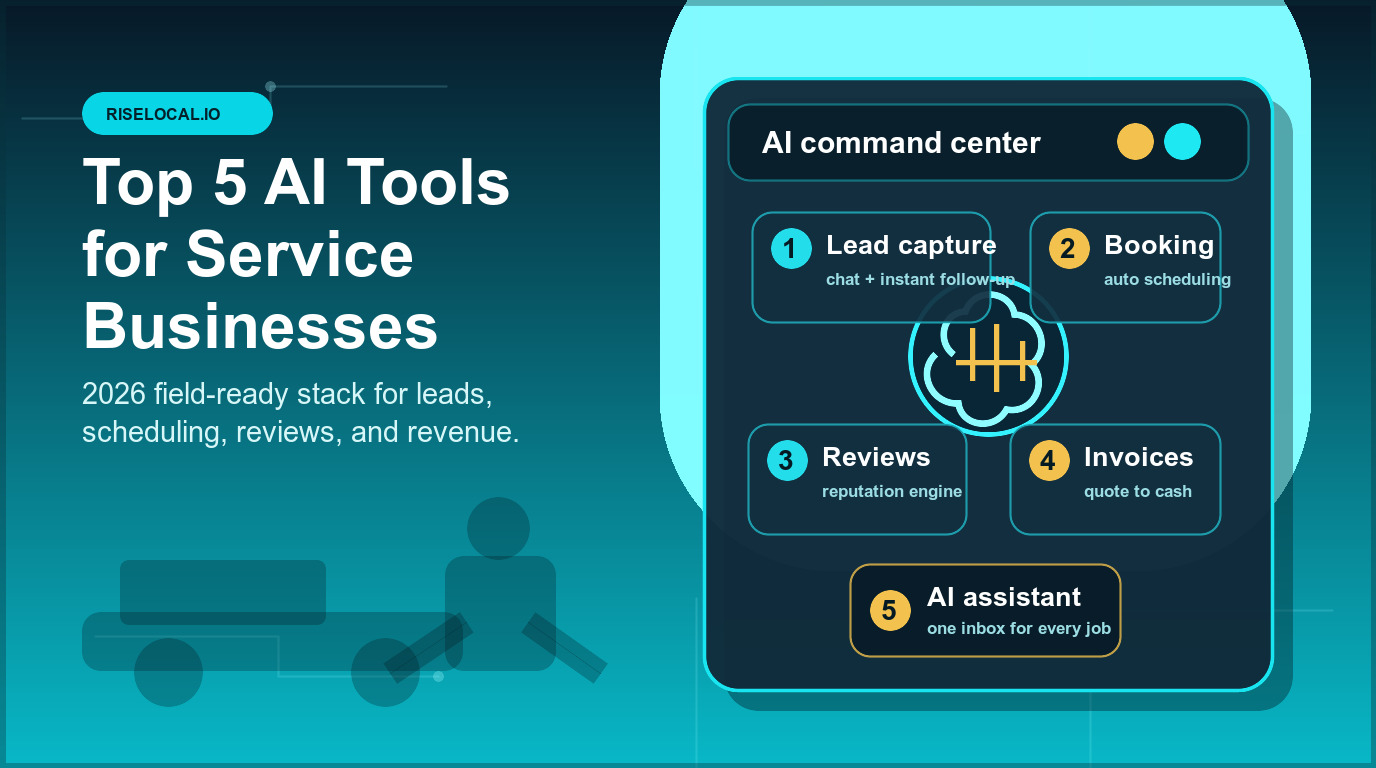
Here are the five AI tools every local service business should understand this year, plus how they fit together into a stack that actually produces revenue.
1. AI Receptionist and Lead Intake
The first tool is an AI receptionist that can handle the front door of the business. For service companies, this is usually the highest-leverage starting point because speed-to-contact directly affects bookings. When a homeowner has a leaking water heater, a dead furnace, or a driveway full of storm damage, they do not wait patiently for three callbacks. They book the business that responds first and sounds competent.
A useful AI receptionist does more than say hello. It answers calls, responds to texts, captures web form inquiries, asks basic qualifying questions, checks service area rules, collects the right job details, and pushes the conversation into the CRM. If scheduling is connected, it can offer available appointment windows or create a work request for the office to confirm.
This is where many service businesses recover revenue quickly. The missed call at 7:42 pm becomes a booked estimate. The Facebook message sent on Sunday gets a real response. The Google Business Profile inquiry does not sit unanswered for a week. The owner starts the morning with organized opportunities instead of voicemail guilt.
The buying question is simple: can the AI receptionist capture and qualify a real job without creating chaos for the team? If it only transcribes calls, it is helpful but limited. If it can understand intent, collect the necessary details, and trigger the next step, it becomes part of the revenue engine.
2. Unified Inbox and CRM Command Center
The second tool is a unified inbox connected to a CRM. Local service businesses now receive leads from too many places: phone, SMS, website forms, Google Business Profile, Facebook, Instagram, referral partners, email, and sometimes marketplace platforms. When those channels are scattered, response quality drops.
A unified inbox gives the AI agent one place to see the customer conversation. That context matters. If someone called on Monday, texted photos on Tuesday, and asked a pricing question through Facebook on Wednesday, the system should recognize that it is the same opportunity. Without that view, every reply feels disconnected and the customer loses confidence.
The CRM side keeps the business organized. Every lead should have a source, status, service need, location, estimate value, next step, and follow-up history. The AI layer can then answer practical owner questions like: which leads came in after hours, which estimates have not been touched in three days, which jobs are waiting on approval, and which customers should receive a review request today.
This is also where RiseLocal differs from a generic automation setup. The goal is not to give the owner another dashboard. The goal is to create a command center the owner can run through simple language: show me open estimates, fill tomorrow afternoon, follow up with leads from last week, or send review requests for completed jobs.
3. Scheduling, Dispatch, and Appointment Automation
The third tool is scheduling automation. For many service businesses, the calendar is where profit either gets protected or destroyed. Empty slots hurt revenue. Double-booked jobs hurt reputation. Unconfirmed appointments waste drive time. Last-minute changes create a chain reaction that consumes the entire office.
Good scheduling AI connects lead intake, team availability, job type, service area, and customer communication. It should help book estimates, confirm appointments, send reminders, notify customers when a window changes, and make sure the field team has the right job notes before arrival. The point is not to remove human judgment from dispatch. The point is to stop wasting human judgment on repetitive coordination.
For contractors and home service companies, this layer pairs well with field service software. Jobber, ServiceTitan, Housecall Pro, and similar platforms can manage jobs, technicians, invoices, and customer records. The AI advantage is what happens around those systems: after-hours booking, appointment confirmation, estimate follow-up, schedule gap filling, and proactive customer updates.
A practical example: a cleaning company gets a cancellation for Wednesday at 1 pm. The AI checks the waitlist, finds two customers who requested earlier openings, sends the first available offer, books the slot, updates the CRM, and confirms with the crew. That is not a fancy feature. It is revenue recovery.
4. Reputation, Reviews, and Google Business Profile Automation
The fourth tool is review and Google Business Profile automation. For service businesses, reputation is not a vanity metric. It affects trust, map visibility, click-through rate, and conversion. The problem is that review requests are easy to skip when the day gets busy, and Google Business Profile maintenance is rarely urgent until rankings fall.
An AI reputation system should trigger review requests after completed jobs, personalize the message enough to feel real, monitor new reviews, draft response options, and flag negative feedback quickly. It should also help maintain the profile with fresh posts, photos, service updates, and Q&A monitoring. This turns reputation from a sporadic task into a repeatable operating rhythm.
The best time to ask for a review is right after a successful job, while the customer still remembers the experience. The worst system is a monthly bulk email that feels generic and lands too late. AI helps because it can tie the ask to the actual job event and send the request through the channel the customer is most likely to use.
This layer also supports local SEO. A complete Google Business Profile, fresh photos, current services, active review responses, and useful posts all make the business look alive to both customers and search platforms. Over time, consistent execution compounds. The company with a steady stream of recent reviews and real job photos usually looks safer to call than the competitor with a stale profile.
5. Estimate, Invoice, and Payment Follow-Up AI
The fifth tool is payment and follow-up automation. This is the unglamorous layer that often produces the clearest return. Service businesses do not only lose money before the job. They lose it after the estimate is sent, after the invoice is created, and after the customer forgets to pay.
Estimate follow-up should not depend on the owner remembering who has gone quiet. The AI can watch for unsold estimates, send a helpful check-in, answer common questions, route serious replies back to the owner, and stop when the customer responds. The tone should be professional and low-pressure. The goal is consistency, not spam.
Invoice follow-up works the same way. When a job is complete, the invoice should go out quickly with a clear payment link. If it remains unpaid, the system should send a polite reminder, then escalate only when needed. Owners should be able to ask, who owes us money from last week, and get a clean answer with amounts, dates, and follow-up status.
This matters because cash flow problems are often process problems. The work was completed, the customer was satisfied, but the administrative loop was slow. AI does not magically create margin. It protects the margin that already exists by making sure the next step happens on time.
How These Tools Fit Together
The mistake is buying these tools as five separate islands. An AI receptionist that cannot update the CRM creates manual cleanup. A CRM that does not connect to scheduling still leaves the office coordinating everything by hand. A review tool that does not know when jobs are completed depends on someone remembering to trigger it. A payment reminder system that does not understand customer history can sound robotic at the wrong moment.
The real win is the connected stack. Intake feeds the CRM. The CRM feeds scheduling. Completed jobs trigger review requests. Unsold estimates trigger follow-up. Unpaid invoices trigger reminders. The owner sees the whole system through one command layer instead of babysitting five dashboards.
That is the RiseLocal approach: build the operating layer around the way the service business already works. The business keeps the tools that are useful, connects the parts that are fragmented, and adds an agentic AI layer that executes the repetitive work consistently.
What to Avoid When Buying AI Tools
Avoid tools that only look impressive in a demo. If the system requires the owner to write prompts all day, it is not automation. If it cannot connect to the channels where leads actually arrive, it will miss the highest-value work. If it creates more notifications without taking action, it becomes another source of noise.
Also avoid replacing strong operational software just because a new AI feature sounds exciting. A field service platform that your team already uses well may still be the right system of record. The better move is often to add the AI execution layer around it so response, follow-up, reviews, and payments stop depending on manual effort.
The best test is operational: what work will this tool complete without me logging in? If the answer is unclear, keep looking.
The Bottom Line
The top AI tools for service businesses in 2026 are not about novelty. They are about execution. AI receptionist, unified inbox and CRM, scheduling automation, reputation automation, and payment follow-up are the five layers that protect the customer journey from first contact to final review.
For a small service business, that stack can feel like adding an operations coordinator without adding payroll. Leads get answered faster. Estimates stay warm. Jobs stay organized. Reviews go out on time. Invoices get paid sooner. The owner spends less time chasing loose ends and more time making decisions that actually require judgment.
If your business already has demand but still feels chaotic, the issue probably is not effort. It is the missing operating layer. Put these five tools together properly, and AI stops being a buzzword. It becomes the system that keeps the business moving.
Continue Reading
- AI Answering Service for Contractors: Keep Your Number, No Porting Required
- Online Reputation Management in 2026: How AI Automation Keeps Local Businesses Trusted
- AI Lead Generation for Local Service Businesses
- Local SEO 2026 Checklist for Service Businesses
- Google My Business Optimization for Service Businesses: The Complete 2026 Guide
- The Local Business Owner's Guide to Running Your Business Through an AI Agent
- General Contractor Software & Job Scheduling: The Agentic AI Advantage